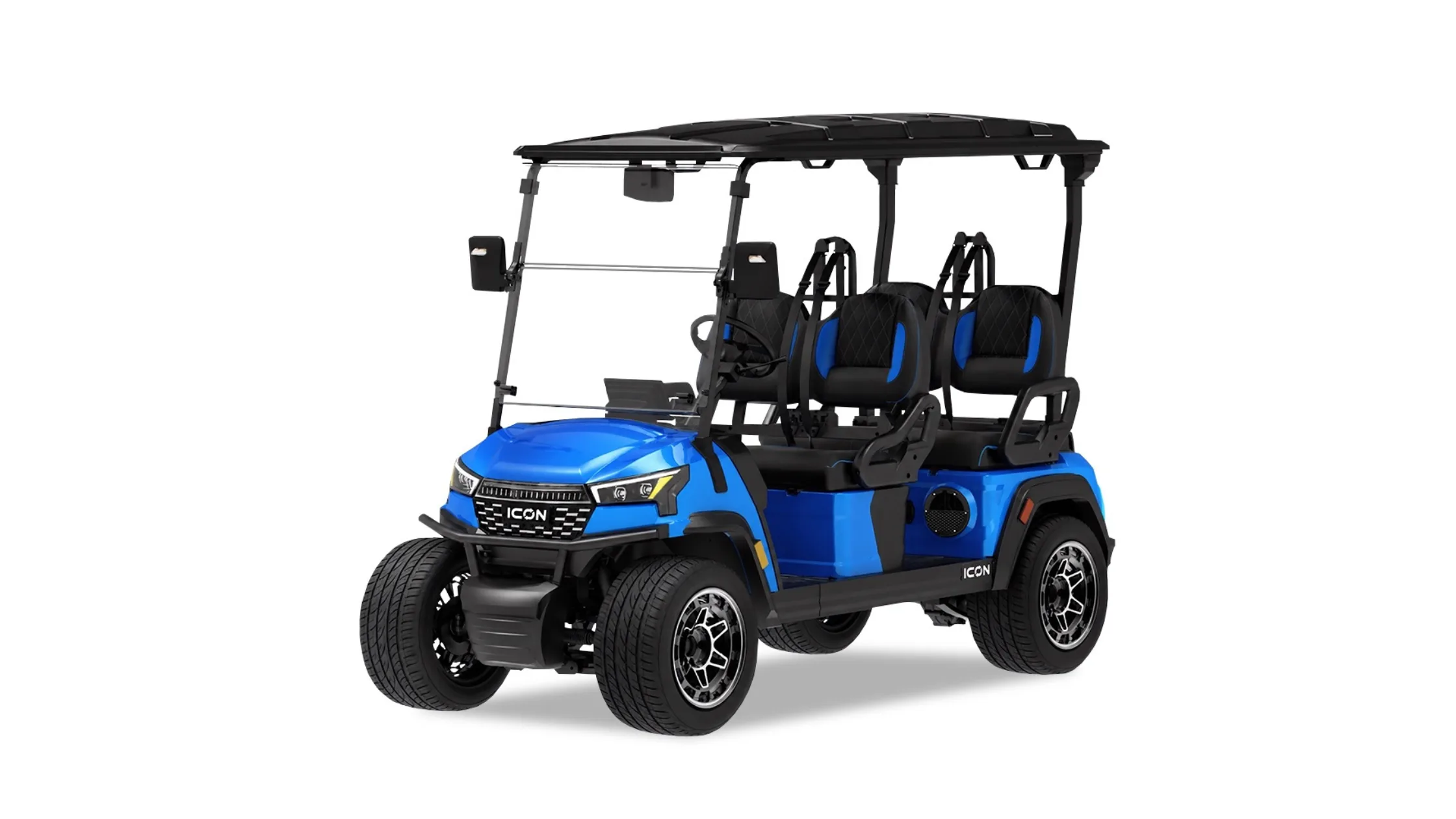
A golf cart ride through Sarasota can become a relaxing part of the day, from a quiet neighborhood outing to a casual trip within an approved community. The experience feels noticeably different when the driver has modern information, entertainment, and visibility tools within easy reach. That is one reason touchscreen technology deserves attention during a visit to an Icon Golf Cart Dealer. A well-designed multimedia display can give the cabin a familiar automotive feel while placing several useful functions in one central location. Instead of treating the screen as a decorative upgrade, buyers can consider how it may support the routines they expect their cart to handle.
Touchscreen-equipped Icon models can connect everyday convenience with the open and social character that makes golf cart travel enjoyable. Features vary by model, so shoppers should examine the exact vehicle rather than assume every display provides identical capabilities. Screen placement, menu clarity, smartphone compatibility, camera visibility, and audio access can all influence the ownership experience. A hands-on demonstration also reveals details that are difficult to judge from photographs or an equipment list. For Sarasota shoppers, that closer look can help distinguish technology that merely appears impressive from technology that will remain useful after the excitement of delivery has passed.
A Dashboard Shaped Around Daily Life
Touchscreen technology becomes meaningful when it supports familiar activities without making the cart feel complicated. Sarasota owners may use a cart for short neighborhood trips, social outings, recreation, or transportation within places where golf carts or low-speed vehicles are permitted. Those varied routines place different demands on the dashboard throughout the day. A clear central screen can reduce the need to search among numerous separate controls. The result can be a cabin that feels organized, approachable, and ready for frequent use.
Familiar Controls Simplify Every Outing
Many drivers already understand the basic gestures used on smartphones and modern vehicle displays. A touchscreen can build on that familiarity by presenting audio, phone, camera, and connectivity functions through recognizable menus. This arrangement can shorten the adjustment period for buyers moving from a basic golf cart dashboard to a more connected model. It may also help the vehicle fit naturally into everyday transportation habits. During a visit to an Icon Golf Cart Dealer, buyers can test how quickly they locate common functions without needing repeated instructions.
The Icon i20X provides a clear example of this approach with its 10.1-inch digital multimedia touchscreen. Its listed dashboard equipment includes Apple CarPlay®, Android Auto™, Bluetooth® connectivity, radio and music functions, and an integrated backup camera. Bringing these functions together can help the driver manage common tasks from one visible location. Smartphone integration can provide access to compatible applications, while Bluetooth® supports wireless phone and audio connections. Buyers should still confirm the equipment on the specific cart under consideration because features can differ by model year and configuration.
Centralized Technology Keeps Things Organized
A golf cart has less dashboard space than a full-size passenger vehicle, so each control occupies valuable room. Combining several functions within a central screen can help maintain a cleaner cabin layout. That organization matters when passengers are carrying phones, drinks, golf accessories, beach supplies, or other personal items. It can also make the driver’s area feel less cluttered during short trips that include frequent stops. A streamlined dashboard supports the easygoing character that many shoppers want from electric golf cart ownership.
Physical controls still matter, and a useful showroom evaluation should consider how the touchscreen works alongside them. Drivers can study the relationship among the display, steering wheel, directional selector, cup holders, charging ports, and storage areas. The purpose is not to replace every button with a digital menu. It is to keep frequently used functions accessible while allowing the screen to manage information and connected features in a logical way. Comparing several layouts at an Icon Golf Cart Dealer can help shoppers identify the arrangement that feels most natural from the driver’s seat.
Connected Features Enrich Sarasota Outings
A touchscreen earns its place when it supports the moments that make owners reach for their golf cart. That could mean selecting music before friends climb aboard, viewing compatible navigation information during a community outing, or managing a connected phone. These actions may seem small, but repeated convenience shapes how enjoyable a vehicle feels over time. The most useful technology settles naturally into the background once the driver learns it. It becomes part of the routine instead of an attraction that receives attention only in the showroom.
Smartphone Integration Extends Familiar Habits
Apple CarPlay® and Android Auto™ can make a compatible display feel familiar from the first few outings. Drivers can use supported phone functions through an interface based on an ecosystem they already understand. That familiarity may reduce the temptation to handle a phone directly while the cart is moving. It can also help keep the device stored securely instead of resting loosely on a seat or cup holder. Buyers should connect their own phone during a demonstration because personal compatibility matters more than a general feature description.
A proper trial should include more than confirming that a connection icon appears on the display. The buyer can check how quickly the system connects, how readable the interface looks, and how easily audio sources can be changed. It is also helpful to examine screen responsiveness while the cart is stationary and listen for clear sound at a comfortable volume. Sarasota’s bright daylight makes display visibility particularly important, so shoppers should view the screen from different seating positions and angles. These simple checks reveal how the technology may perform during the conditions in which the cart will frequently be used.
Entertainment Fits Sarasota’s Social Pace
Music often contributes to the atmosphere of a golf cart outing, particularly when the trip itself is part of the experience. A touchscreen with Bluetooth® and integrated audio controls can make selecting a playlist before departure easier. Passengers can settle in while the driver manages sound from one central interface. The Icon i20X pairs its multimedia display with a SoundExtreme soundbar, connecting screen access with onboard audio. Buyers can listen to the system in person to decide if its clarity and control layout suit their preferences.
Responsible audio use remains part of comfortable community travel. Volume should allow the driver to notice nearby vehicles, pedestrians, cyclists, and other activity around the cart. A system with straightforward controls can make quick adjustments easier when conditions change. Touchscreen entertainment should complement the ride without distracting from the surroundings or overwhelming nearby residents. A demonstration at an Icon Golf Cart Dealer gives shoppers an opportunity to consider this balance while comparing screen operation, speaker placement, seating arrangement, and overall cabin comfort.
Better Visibility Inspires Everyday Confidence
Connected entertainment may attract attention first, but camera integration can become one of the most practical benefits of a modern display. Golf carts often operate in settings filled with parked vehicles, landscaping, pedestrians, recreational equipment, and confined spaces. A clear rear view can provide useful additional information when backing from a parking area or maneuvering near a driveway. It does not replace mirrors, direct observation, or careful driving. Instead, it adds another perspective that can support greater awareness.
The Back-Up View Supports Careful Maneuvers
An integrated back-up camera can display the area behind the cart on the central touchscreen when needed. Icon lists this feature with the 10.1-inch display on the i20X and on touchscreen-equipped models such as the 2025 i20 and i40. The arrangement allows the same screen used for connected functions to serve a practical visibility role. This dual purpose can make the display valuable even for owners who use entertainment features sparingly. It also demonstrates why buyers should evaluate the complete technology package instead of judging the screen only by its size.
A showroom demonstration should include an actual reversing exercise in a controlled area. The shopper can examine image clarity, camera angle, display response, and the amount of space visible behind the cart. Repeating the exercise with passengers aboard can be helpful because occupied seats may change rearward sightlines. Drivers should also confirm that the mirrors remain properly positioned and easy to check. The camera works best as one part of a broader awareness routine that includes looking around the vehicle before moving.
Screen Placement Matters Under Sarasota Sunlight
Sarasota sunshine can reveal display characteristics that indoor showroom lighting may conceal. Glare, reflections, contrast, and viewing angle all influence how easily a driver can read a screen outdoors. A display that looks vivid beneath a roof may appear different once the cart enters direct daylight. Buyers should view it from their normal seated posture instead of leaning closer for a better look. They can also check how naturally their eyes move between the path ahead, the mirrors, and the screen.
Touchscreen responsiveness deserves similar attention because drivers may have damp hands after outdoor activities or may be wearing sunscreen. The purpose of this test is to understand how easily common commands can be completed in typical coastal conditions. Some Icon models list an IP67 rating for their 10.1-inch multimedia displays, including the 2025 i20 and i40. Shoppers should confirm that specification on the exact model and year they are considering before making assumptions about protection. Model-specific verification prevents one vehicle’s equipment details from being applied to another cart with a different dashboard.
A Test Ride Brings Technology Into Focus
An equipment description can confirm that a touchscreen exists, but it cannot show how comfortably a buyer will use it. Reach, visibility, menu organization, audio clarity, and camera usefulness become apparent once someone sits behind the wheel. A test ride also shows how the technology fits into the broader driving experience instead of presenting it as an isolated feature. This is where a visit to an Icon Golf Cart Dealer becomes particularly valuable for shoppers comparing configurations. The experience turns a list of equipment into a practical evaluation shaped by the buyer’s routines and expectations.
Begin With The Intended Ownership Routine
Buyers can prepare for a dealership visit by outlining the trips they expect to make most often. A two-passenger cart used primarily for golf may create different technology priorities from a four-passenger model intended for social outings. Someone focused on music and smartphone access may value quick connectivity, while another buyer may place greater emphasis on camera visibility. Passenger needs, storage habits, seating layout, and approved travel areas should also enter the conversation. Defining these priorities prevents an impressive screen from distracting attention from the cart’s overall suitability.
Local use rules deserve consideration before a buyer chooses a model for public-road travel. Golf carts and low-speed vehicles can fall under different operating requirements, and regulations may vary by location. The presence of a touchscreen, lighting, camera, or other visible equipment does not establish that a particular cart is approved for a planned route. Buyers should confirm the vehicle classification and applicable rules for the places they intend to drive. This practical step keeps the technology discussion connected to responsible Sarasota ownership.
Compare The Complete Driver Experience
The strongest evaluation considers how every element works together during a normal ride. Buyers can check seat comfort, steering position, mirror placement, brake response, display visibility, and access to frequently used controls. They can then connect a phone, select an audio source, view the back-up camera, and move through the touchscreen menus while the cart is safely stationary. Repeating these actions on multiple models can reveal meaningful differences in reach and layout. A feature becomes valuable when it feels intuitive within the complete cabin.
Shoppers should also request a walk-through of the exact vehicle instead of relying on assumptions based on a similar cart. Equipment can differ across Icon models, model years, and available configurations. A careful review can confirm the display size, smartphone integration, camera setup, audio system, charging connections, and other relevant dashboard features. It also gives the buyer an opportunity to learn how to pair a device and operate the system before taking delivery. This hands-on approach creates a clearer picture of daily usability and supports a confident buying decision.
Touchscreen technology can make an electric golf cart feel connected, organized, and better suited to everyday Sarasota outings, but the difference is best experienced from the driver’s seat. Visit Icon Golf Carts in Sarasota, FL, to see available touchscreen-equipped vehicles and compare their layouts in person. Speak with our team about the passenger capacity, connected features, camera visibility, and driving environment that fit your plans. Schedule a test ride to experience how the display works alongside the steering, seating, mirrors, and other controls. Our dealership can help you choose an Icon golf cart with technology that remains practical and enjoyable long after the first ride.
Back to all articles